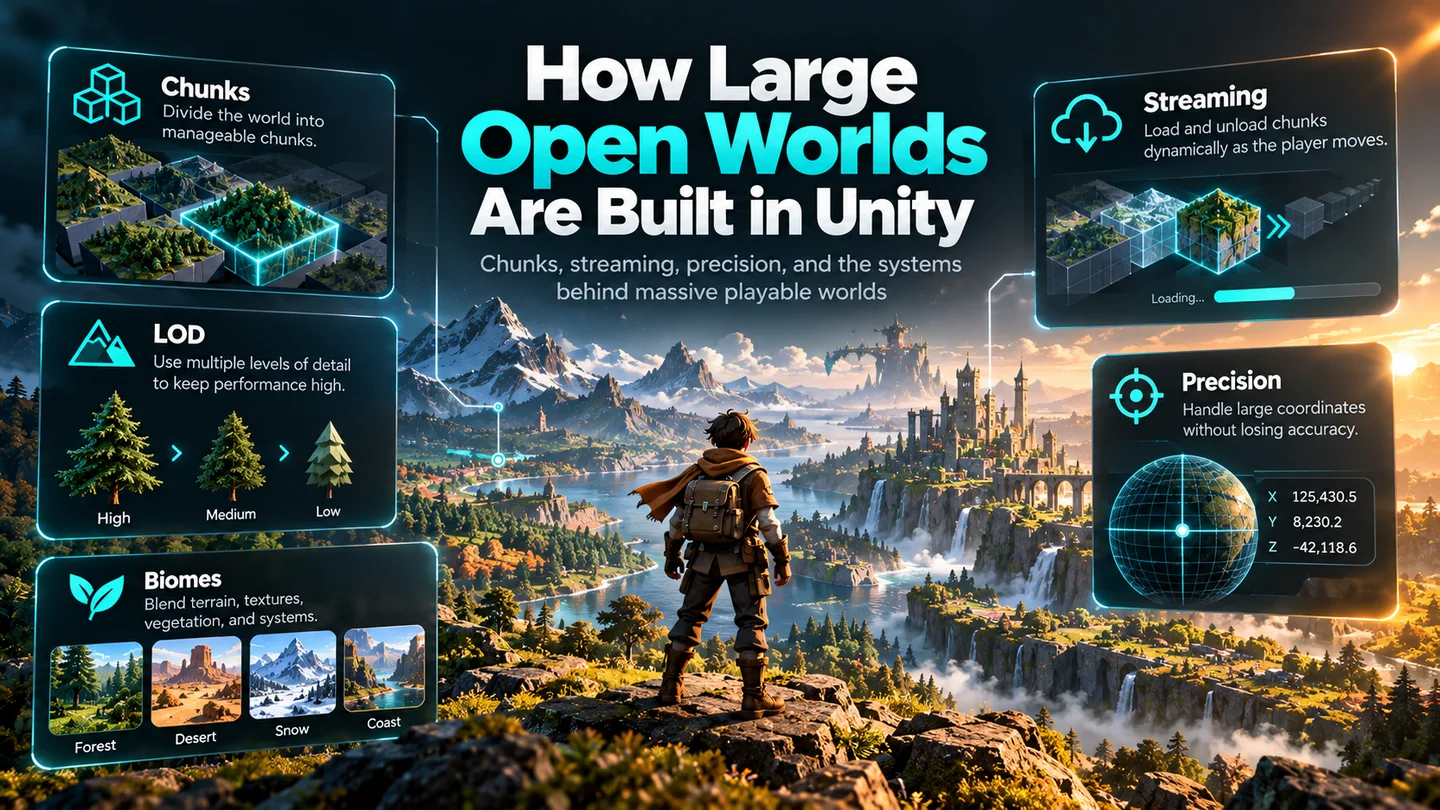
One of the easiest mistakes to make when you first think about building an open-world game is imagining the problem as:
How do I make one enormous map?
That sounds reasonable. It is also slightly dangerous.
The games we think of as “one huge world” are usually not treated internally as one enormous piece of terrain sitting there permanently, fully loaded, waiting for the player to walk across it.
The Reddit Question#
A beginner on r/Unity3D asked how developers build a city map like Los Santos and whether the map is made in pieces, squares or circles. The strongest reply was essentially yes: large games commonly divide maps into chunks that load dynamically around the player, then layer buildings, roads and other props on top. It also pointed out the part procedural-generation marketing can hide: enormous worlds still involve a lot of human work.
The embed above is served by Reddit. If a privacy extension blocks it, open the original discussion directly.
A Giant Terrain Is Not a Giant World#
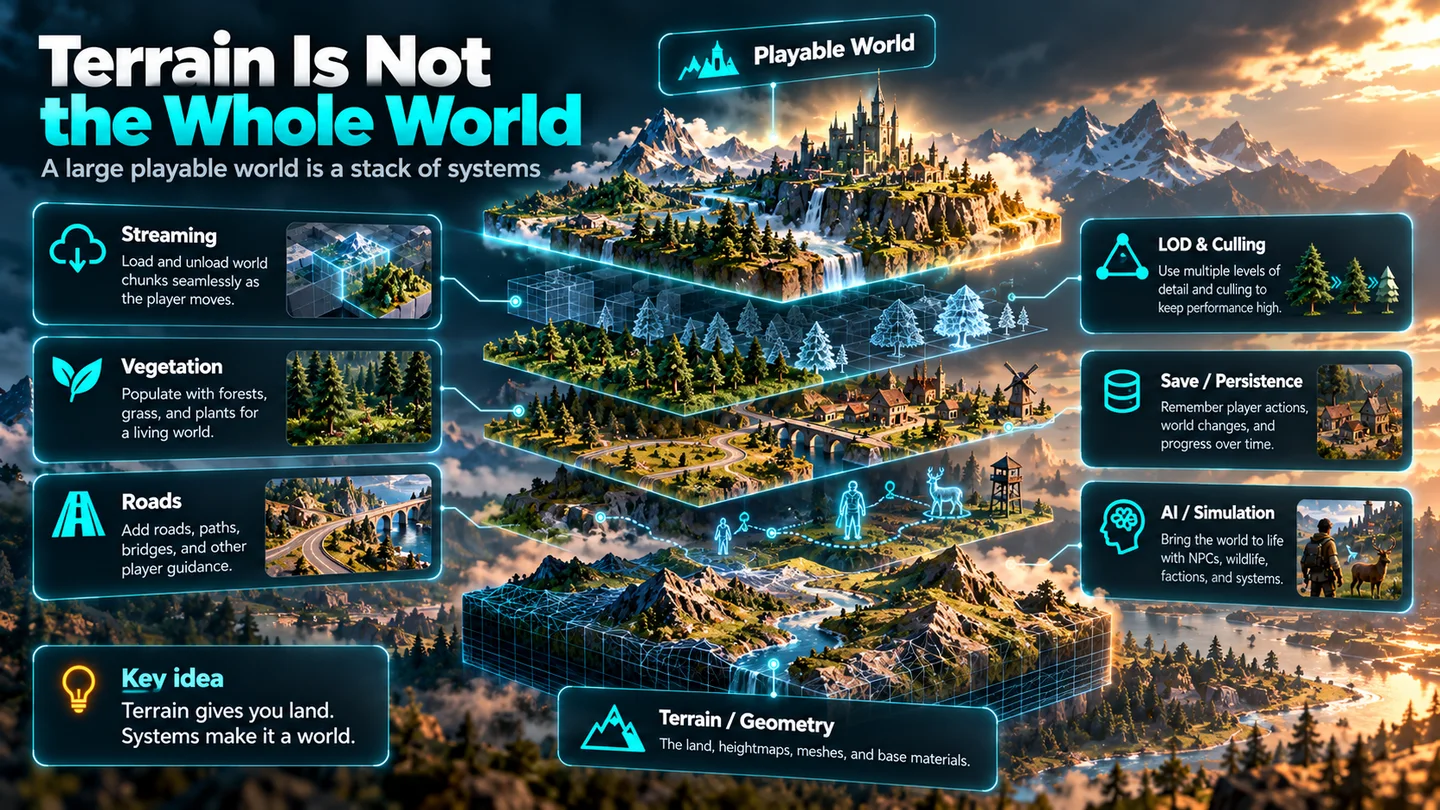
Suppose you generate a beautiful 20 km landscape: mountains, forests, rivers, grass, valleys and a suitably dramatic ruined castle. Congratulations. You have terrain. You do not necessarily have an open-world system.
A playable world is a stack
The difficult question is not simply “how big is the terrain?” It is “what is loaded right now, what can sleep, what can become cheaper, and what must still be remembered when the player comes back?”
Chunks: The Basic Trick Behind Huge Worlds#
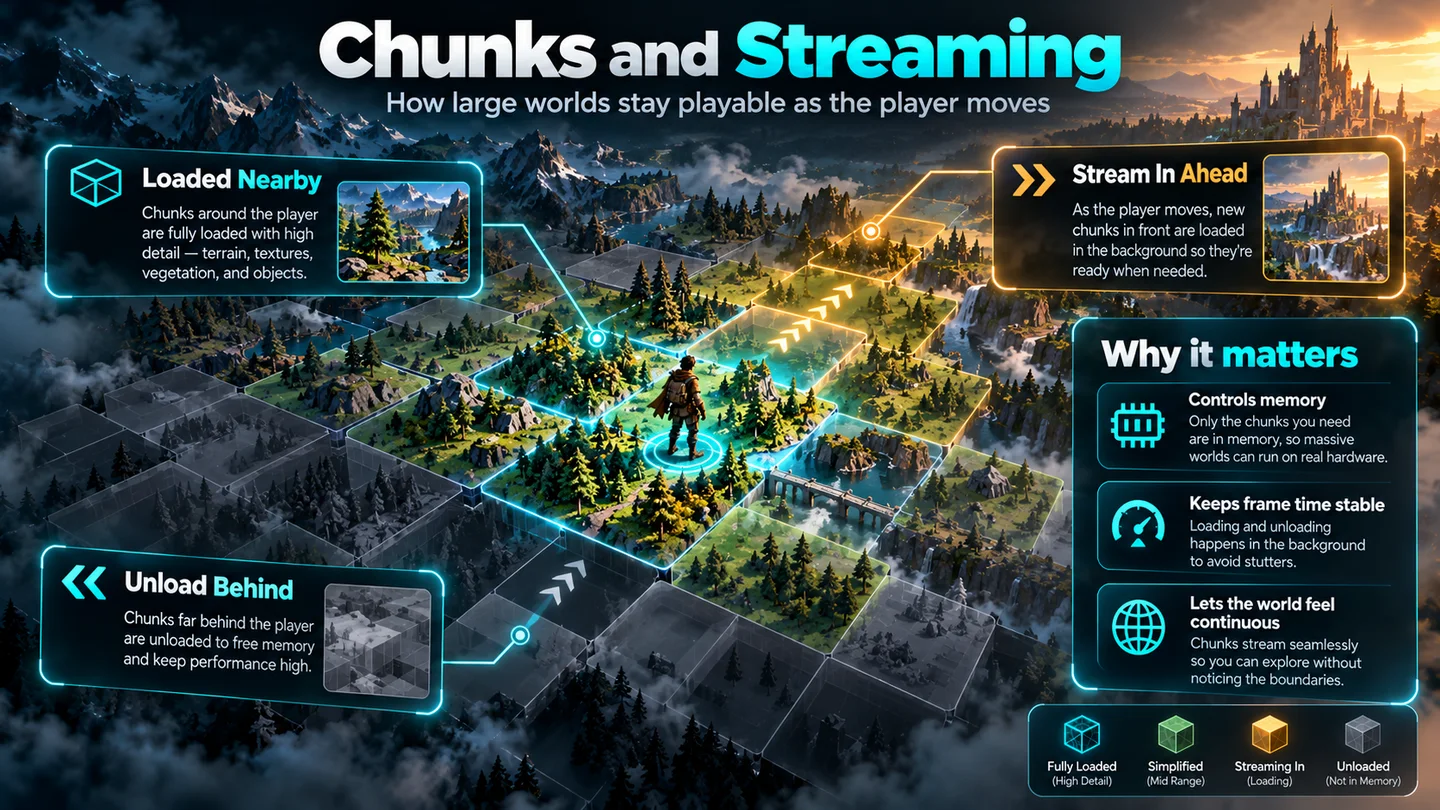
The fundamental idea is simple: break the world into smaller regions. Those regions might be terrain tiles, mesh chunks, additive scenes, Addressable areas, grid cells or a custom representation.
A recent Unity example on Reddit uses around 30 base chunks with variation systems, seed-based routes and points of interest, plus lazy loading, chunk loading/unloading, LOD and asset-reference loading around the player. The author also confirmed that floating-point precision still required periodic world shifting.
The Floating-Point Problem#
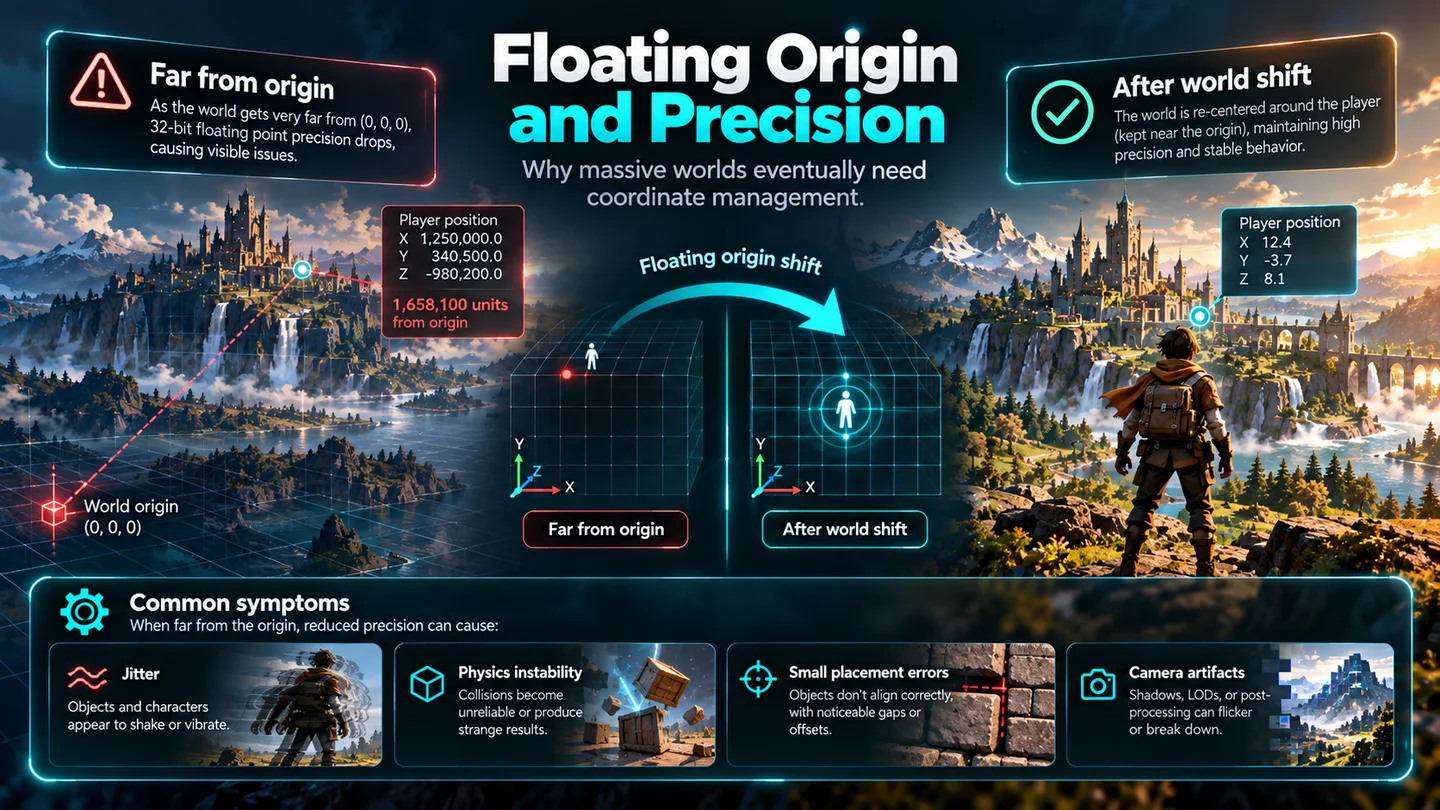
Unity GameObject transforms use floating-point coordinates. Close to the origin, that is usually fine. As the player travels farther away, the precision available for representing tiny positional differences decreases. Eventually you can see instability in camera movement, physics, joints, particles, placement and other systems.
Unity’s own public world-building discussions have included requests around large-world precision, terrain management and floating-origin workflows. This is a separate engineering problem from simply generating more terrain.
Runtime Generation Adds Another Layer#
Then there is a different category entirely: generate the world while the game is running. Instead of storing the whole environment beforehand, the game creates or assembles areas when they are needed.
Another recent Reddit developer spent more than eight months building a runtime world-generation system with mesh-based terrain, biomes, roads, vegetation, water, weather, day/night and continuous streaming. That kind of project demonstrates why “world generator” can mean something much larger than terrain sculpting.
Visual Scale Is Also an Optimization Problem#
A huge environment is not only a coordinate and loading problem. It is a rendering problem. Far-away vegetation does not need the same geometry, shadows or simulation as vegetation two metres from the player.
The illusion of a huge world survives because distant things get cheaper. The player sees continuity. The engine sees budgets.
Five Practical World-Building Routes in Unity#
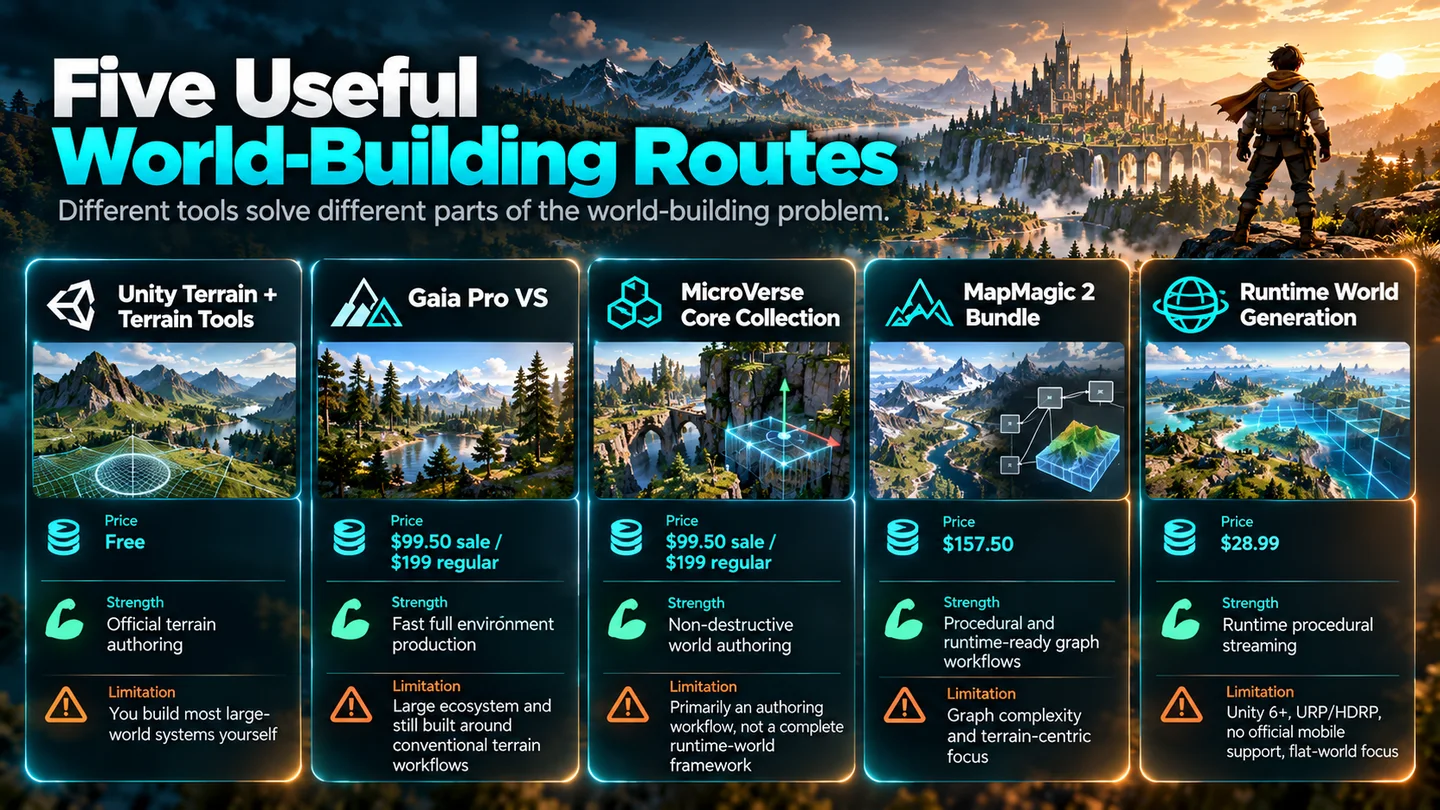
The numbering below is not a best-to-worst ranking. These tools solve different parts of the problem. Unity’s free route comes first because it is the correct baseline for understanding what commercial tools are actually saving you from doing manually.
01. Unity Terrain + Terrain Tools#
01
Unity Terrain + Terrain Tools
Official terrain authoring
The cleanest starting point for learning Unity terrain and building your own large-world architecture.
What it gives you
- Sculpt and paint Terrain
- Noise, erosion and advanced brushes
- Heightmap / splatmap workflows
- Multiple Terrain tiles
- No third-party dependency
Limitations to understand
- Not a complete streaming framework
- No automatic large-world precision solution
- Persistence, simulation and world logic remain your job
This is the route I would recommend first if you are still learning. It teaches the actual building blocks without hiding them behind a commercial workflow. The trade-off is that the higher-level open-world architecture is yours to build.
02. Gaia Pro VS#
02
Gaia Pro VS
Fast traditional environment production
A large environment ecosystem for getting from empty scene to populated terrain quickly.
What it gives you
- Procedural terrain generation
- Stamps and biomes
- Vegetation and water workflows
- Terrain streaming
- Built-in, URP and HDRP support on its current listing
Limitations to understand
- Large 4.8 GB package
- Broad system with a learning curve
- Still based around conventional land terrain rather than spherical worlds
Gaia makes sense when the goal is a conventional land-based world and speed matters. Its current Asset Store listing shows a 50% sale price of $99.50 against a regular $199 price, a 4.8 GB package, and compatibility listed for Built-in, URP and HDRP on Unity 2022.3.
03. MicroVerse Core Collection#
03
MicroVerse Core Collection
Non-destructive environment iteration
A stamp-driven workflow that stays editable while terrain, vegetation, objects and splines evolve.
What it gives you
- Real-time non-destructive authoring
- Terrain and texture stamps
- Vegetation and object spawning
- Spline-based workflows
- Built-in, URP and HDRP compatibility on the current listing
Limitations to understand
- Primarily an authoring workflow
- Runtime world-state and persistence remain separate concerns
- Conventional terrain model
MicroVerse is especially attractive when iteration matters more than one-click generation. The current listing shows the Core Collection at $99.50 during the same sale, normally $199, with Built-in, URP and HDRP compatibility listed for its supported Unity version.
04. MapMagic 2 Bundle#
04
MapMagic 2 Bundle
Node-based procedural and endless terrain
A graph-driven generator for procedural maps, biomes, splines, objects and terrain generated in Play Mode.
What it gives you
- Node graph generation
- Objects, splines and biomes modules
- Procedural and endless maps
- Can generate new terrains during Play Mode
- Full source included
Limitations to understand
- Procedural graphs become their own engineering problem
- Third-party integration compatibility cannot be guaranteed
- Infinite flat terrain is not the same problem as a planet
MapMagic is particularly interesting when procedural rules are part of the game itself. The current listing describes it as a node-based procedural and infinite map generator that can create new terrain during Play Mode, with the Bundle including Objects, Splines, Biomes/Functions and Brush modules.
05. Runtime World Generation#
05
Runtime World Generation
Runtime procedural streaming
A newer runtime-first system focused on creating and streaming a mesh-based world during gameplay.
What it gives you
- Runtime terrain generation
- Continuous streaming
- Biomes, roads and vegetation
- Water, weather and day/night features
- Current listing targets Unity 6 URP/HDRP
Limitations to understand
- Built-in Render Pipeline not supported on current listing
- Requires Unity 6-class workflow
- A runtime flat-world system, not a spherical-world framework
Runtime World Generation is closer to a runtime framework than a traditional editor terrain tool. Its current listing shows $28.99, Unity 6000.4 as the original version, URP/HDRP compatibility and no Built-in support. That makes its scope unusually clear.
How the Five Routes Compare#
Unity Terrain Tools
Best starting point
- Authoring
- Strong
- Runtime generation
- Build it
- Streaming
- Build it
- Round worlds
- No
Gaia Pro VS
Fast environment production
- Authoring
- Very strong
- Runtime generation
- Limited / workflow-specific
- Streaming
- Yes
- Round worlds
- No
MicroVerse
Non-destructive iteration
- Authoring
- Very strong
- Runtime generation
- Not core focus
- Streaming
- External / project-dependent
- Round worlds
- No
MapMagic 2
Procedural graph worlds
- Authoring
- Graph-driven
- Runtime generation
- Yes
- Streaming
- Endless terrain model
- Round worlds
- No
Runtime World Generation
Runtime-first procedural world
- Authoring
- Runtime-oriented
- Runtime generation
- Core feature
- Streaming
- Core feature
- Round worlds
- No
Prices above reflect public listings checked on 28 September 2026 and can change, particularly during Asset Store sales.
Which Route Fits You?#
If you are learning
Start free.
Use Unity Terrain + Terrain Tools. Learn what terrain, tiles, LOD and streaming actually mean before adding a larger ecosystem.
If speed matters
Look at Gaia.
Strong fit for quickly producing conventional terrain, vegetation and environment setups.
If iteration matters
Look at MicroVerse.
Its non-destructive workflow is attractive when artists need to keep changing the world without constantly baking decisions in.
If procedural rules are the game
Look at MapMagic.
The node-graph model is better suited to systems where generation logic is central rather than incidental.
If the world must appear at runtime
Look at Runtime World Generation.
It is directly focused on procedural runtime streaming rather than only editor-time authoring.
What If the World Is Actually Round?#
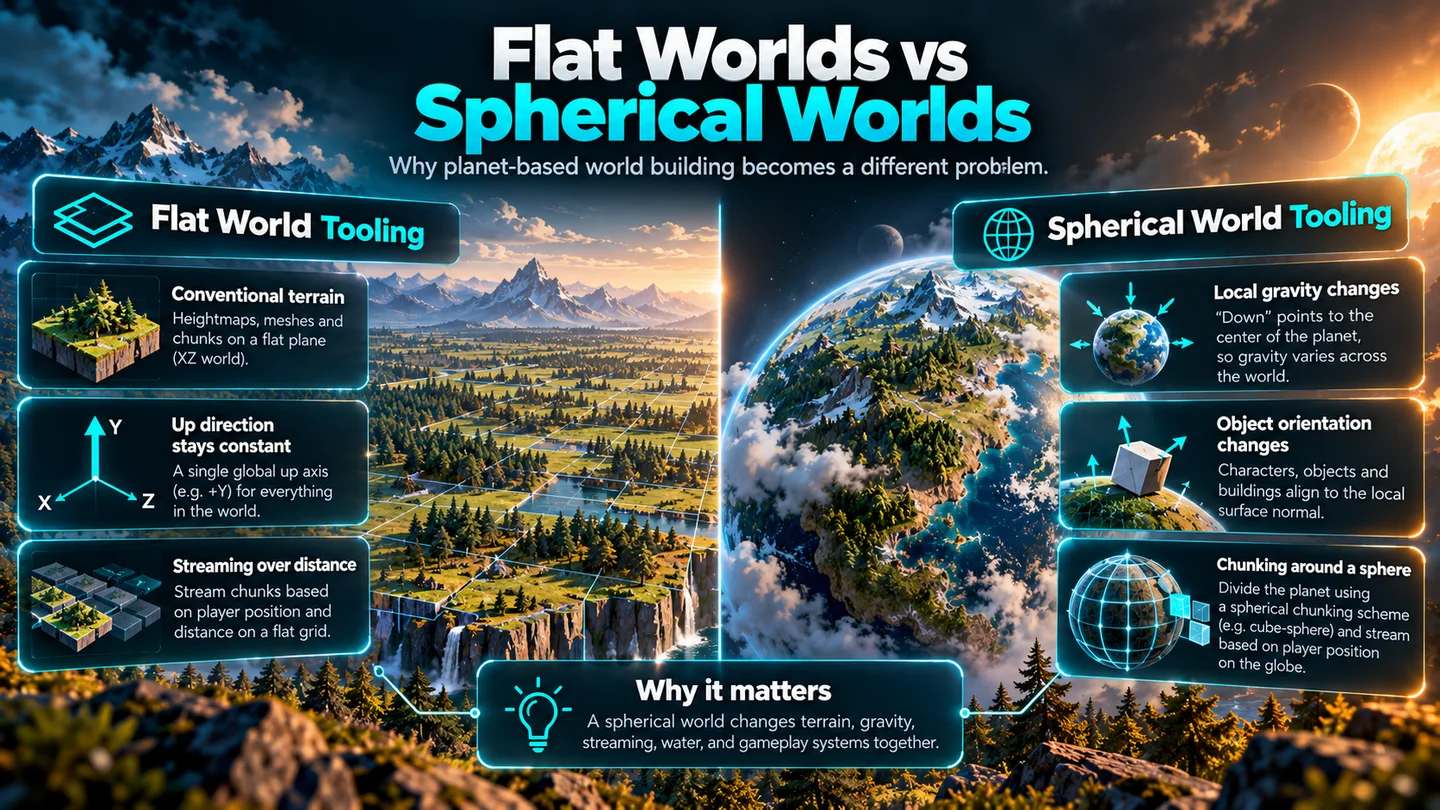
Almost every route above assumes a variation of the same spatial model: the world is fundamentally flat terrain. It may be enormous, tiled, streamed or generated forever, but “up” is still globally obvious and the terrain model is conventional.
Conventional world tools
Huge flat spaces
- Terrain tiles or mesh chunks
- Global up direction
- Streaming around the player
- Floating origin when coordinates grow large
Different problem
Spherical game worlds
- Local gravity toward the planet
- Objects orient to a curved surface
- Water, roads and biomes live on a sphere
- Streaming and coordinates must respect planetary space
That is the problem space Worldsmith is being built around: not another way to sculpt a prettier mountain, but a framework for turning a spherical world into an actual playable game world.
The Real Answer to the Reddit Question#
So how do developers make massive open worlds? They do not simply make a gigantic mesh and hope the GPU is feeling generous. They divide the problem.
Behind all of that sits tooling. Often a ridiculous amount of tooling. A huge world is impressive because dozens of systems cooperate closely enough that the player never notices where one piece ends and another begins.
What I Would Tell a Beginner#
- 01Make one good 500-metre area.
Prove the basic world, art and gameplay first.
- 02Split several areas into chunks.
Make loading boundaries explicit before scale hides the architecture.
- 03Load and unload without visible hitches.
Streaming quality matters more than theoretical map size.
- 04Scale vegetation and rendering.
Use LOD, culling and cheaper distant representations.
- 05Preserve state.
Make unloaded areas remember changes when the player returns.
- 06Then make it larger.
A broken 1 km architecture does not become healthy at 100 km.
Otherwise you do not get a bigger open world. You get a much larger crime scene.
Sources and Further Reading#
- How Do They Make Massive Open Worlds To Play?
- Chunk-Based World Generation System
- Runtime World Generation development discussion
- Open-world environment discussion
- Gaia world-building discussion
- Unity Terrain Tools documentation
- Unity 3D World Building roadmap
- Gaia Pro VS
- MicroVerse Core Collection
- MapMagic 2 Bundle
- Runtime World Generation
Product prices and compatibility reflect the public listings checked on 28 September 2026 and may change later.